Hello World!
After a long break, I’m finally back to my old love, writing technical blog posts!
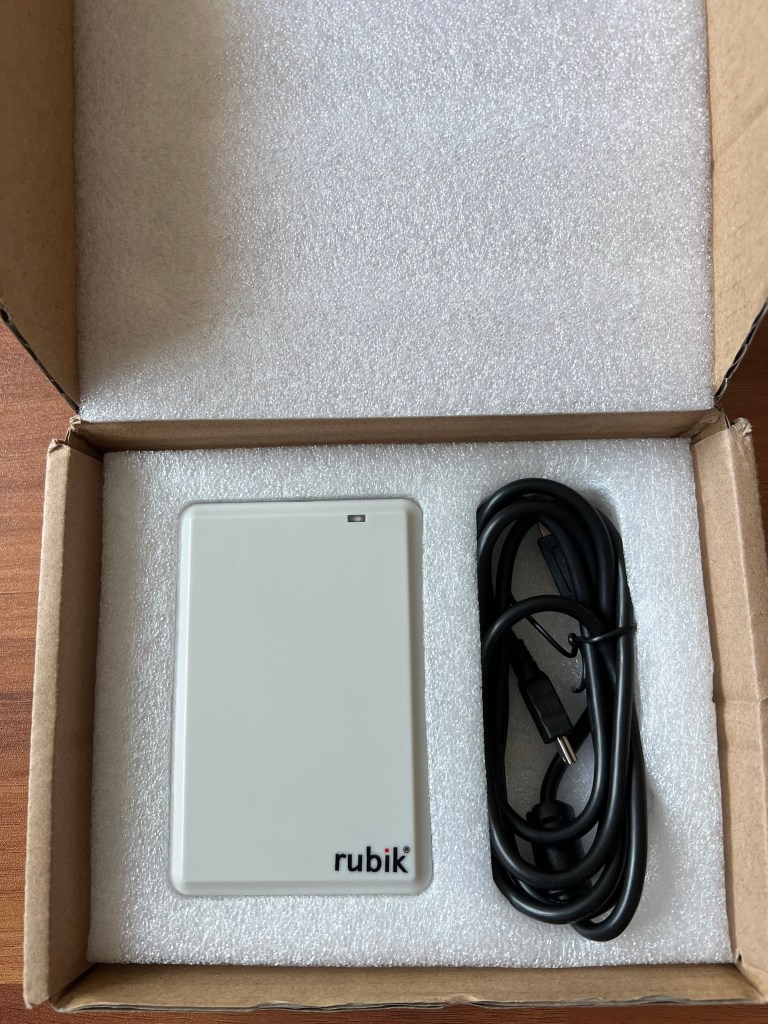
A while back I bought one of those Chinese UHF RFID reader/writer devices you find on AliExpress for an RF side project. Once it arrived I started tinkering and –surprise– it only works on Windows. The manufacturer shipped a single Windows driver with the device and no love for *nix. My budget didn’t allow for a more expensive cross-platform device, and since one of my project’s major constraints was compatibility with Linux, I wanted this device to work by any means necessary. So: why not port the Windows driver to Linux?
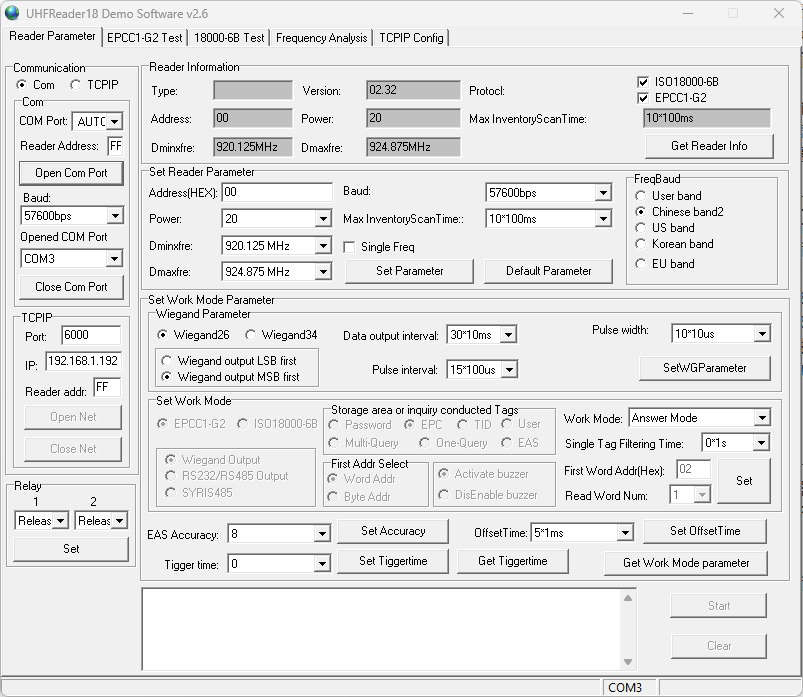
The application shipped with the device contains myriad functions that I’m not interested in. My main targets are:
- Reading the EPC and Data Block of a UHF Tag.
- Writing data to a Tag.
To achieve that I needed two things:
- Since that the device uses USB, I’ll need to capture and reverse engineer the USB protocol for the functions I’m interested in.
- Write the simplest USB driver ever that works on *Nix systems and get my job done with the least effort needed.
Reverse Engineering the Communication Protocol
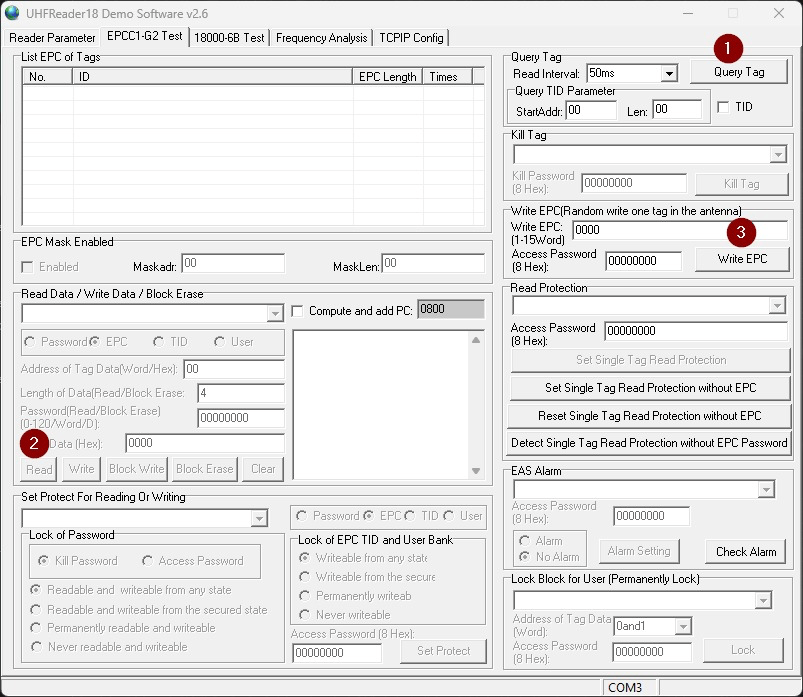
In the manufacturer’s GUI the buttons map roughly like this:
- “Query Tag” → read the tag EPC
- “Read” → read a Data Block from the tag
- “Write” → write a Data Block to the tag
We’ll use Wireshark on Windows to capture traffic between the device and the OS while clicking those buttons. Out of the box Wireshark can’t capture USB packets on Windows, so we need USBPcap — a Windows driver that acts as a capture provider for Wireshark and lets us inspect low-level USB traffic.
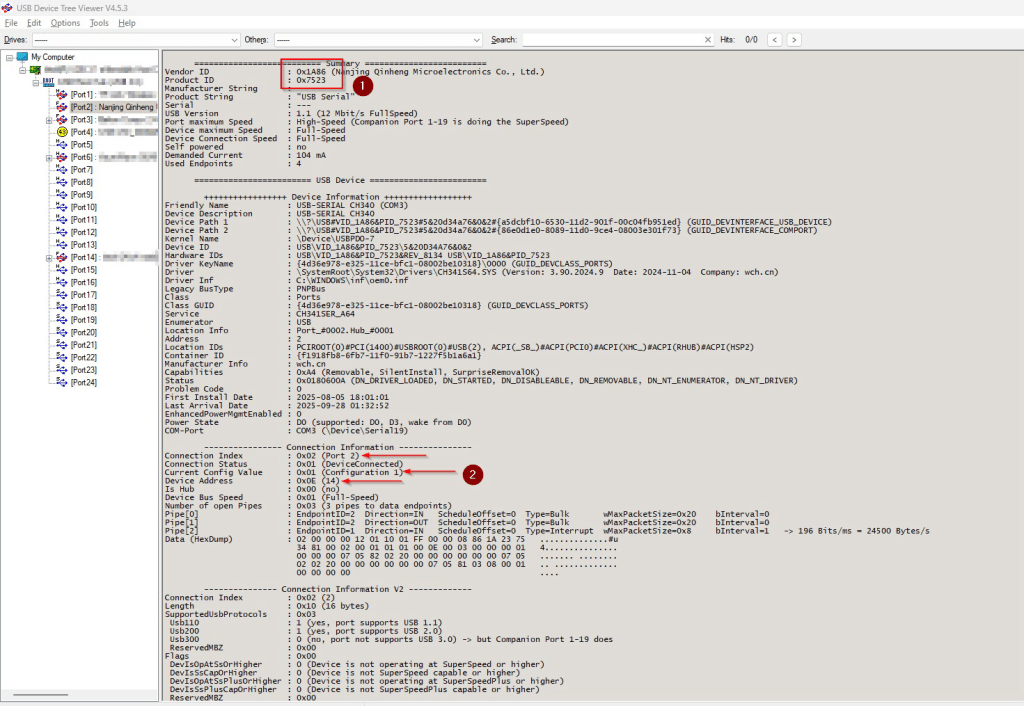
But before starting the actual reversing, the very first step would be to get the device’s Vendor and Product IDs in order to be able to connect to our target device. These numbers are fixed across all operating systems and will be used to detect and connect to our UHF device in the driver we will be writing in the second part of the article. We will also need the Configuration, Device and Connection addresses to be used in Wireshark to filter the device’s USB traffic out of all the other USB noise.
There are a few ways we can find these numbers natively on every OS. However, on Windows I like to use the application “USB Device Tree Viewer” for anything related to USB devices as it’s comprehensive, intuitive and gets the job done without much hassle.
As per the user manual, the steps we need to follow to capture a tag’s data are as follows:
- First, we need to connect the software to the device with a given baud rate.
- This gives us a precious piece of information, indicating that the device doesn’t in fact use the USB protocol for communication, instead it uses UART through USB, also named “USB Serial”. This is even better and makes our reversing journey slightly easier.
- After that, we need to capture the EPC of the tag before being able to read the Data Block.
- Finally, writing function works by pasting a data block in the corresponding GUI text box.
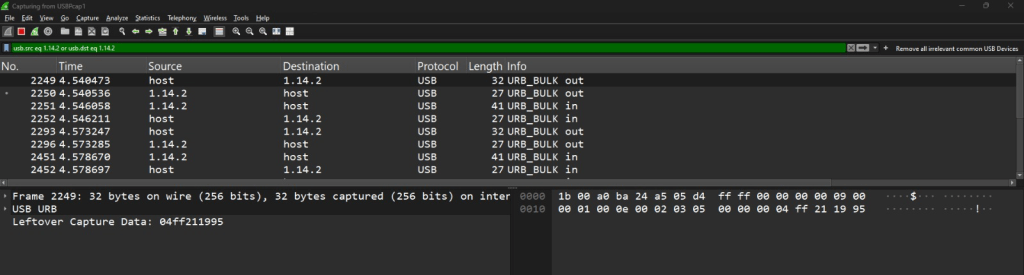
In Wireshark, the filter uses the addresses we got from USB Device Tree Viewer in the following format as a filter: ConfigurationAddress.DeviceAddress.ConnectionAddress (1.14.2)
After repeating that process with the three other functions “Query Tag”, “Read” and “Write”, we can find that all we need is really the following sequence of bytes:
- Command for querying device information: 04ff211995040021d96a
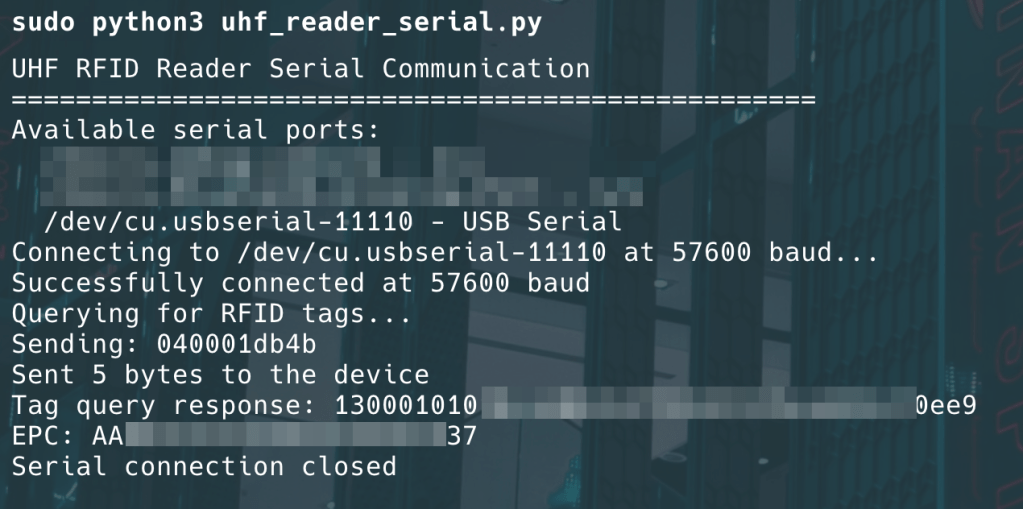
- Command for reading EPC: 040001db4b
- Command for reading a Data Block: 18000206+EPC+01000800000000d4f1
- Command for writing a Data Block: 1900040800000000+Data_Block+912e
Excellent, so now we’re ready to write the driver.
Writing the *Nix Driver
I’ll be writing the driver for MacOS, however, it works on Linux as well as any *Nix system except a very few.
We have the commands and device information needed, writing it in Python is a few minutes task.
You can find the entire code in this gist.
A few important notes:
- UART Config:
- Baud Rate used was the default one used by the Windows app: 57600 symbol per second.
- 8-bit bytes, no parity and 1 stop bit. (the pretty common setup)
- As could be noticed in the USB capture, there are many ACK packets, it’s safe to ignore those in the code and there is no need to emulate down to this level of granularity.
- The code could be used as a general purpose serial communicator driver if modified properly to match the device settings.
Running the Python driver reproduces the same tag reads/writes I achieved with the Windows software. Minimal effort, maximum usefulness — Bingo!
A couple of mildly smug observations (because engineering should have a personality)
- For this project, there was no need to reverse every individual byte in the protocol. My goal was simply to get the device up and running on Linux/macOS with the least amount of effort and time. That said, a few details were worth noting—for example, the number of bytes read from the Data Block can be adjusted through the 7th least significant byte in the appended byte stream (0x08 in the following case): 18000206+EPC+01000800000000d4f1
- It’s also very likely that some of these bytes are just redundancy or parity checks, which made digging deeper unnecessary for my use case. After all, reverse engineering every byte just to read a tag would’ve been like using a microscope to butter toast—possible, but not really the best use of time.
- Chinese hardware vendors: We’re in 2025, why are you still shipping hardware while ignoring the rest of the ecosystems? Feels a lot like 19’s.
- The entire process was simple and straight forward, and may not be considered a fully fledged reversing project. Perhaps the biggest reason for this is the Serial interface that the inner chip is using. Porting a Windows-only device to *nix feels a bit like reverse-engineering a stubborn relative: a little patience, a packet capture, and coffee.
 The Art Of Superposition